Water's in the tub, but no wash yet
- Check the panel first. A Delay Start countdown or a normal thermal pause can make the cycle look stalled.
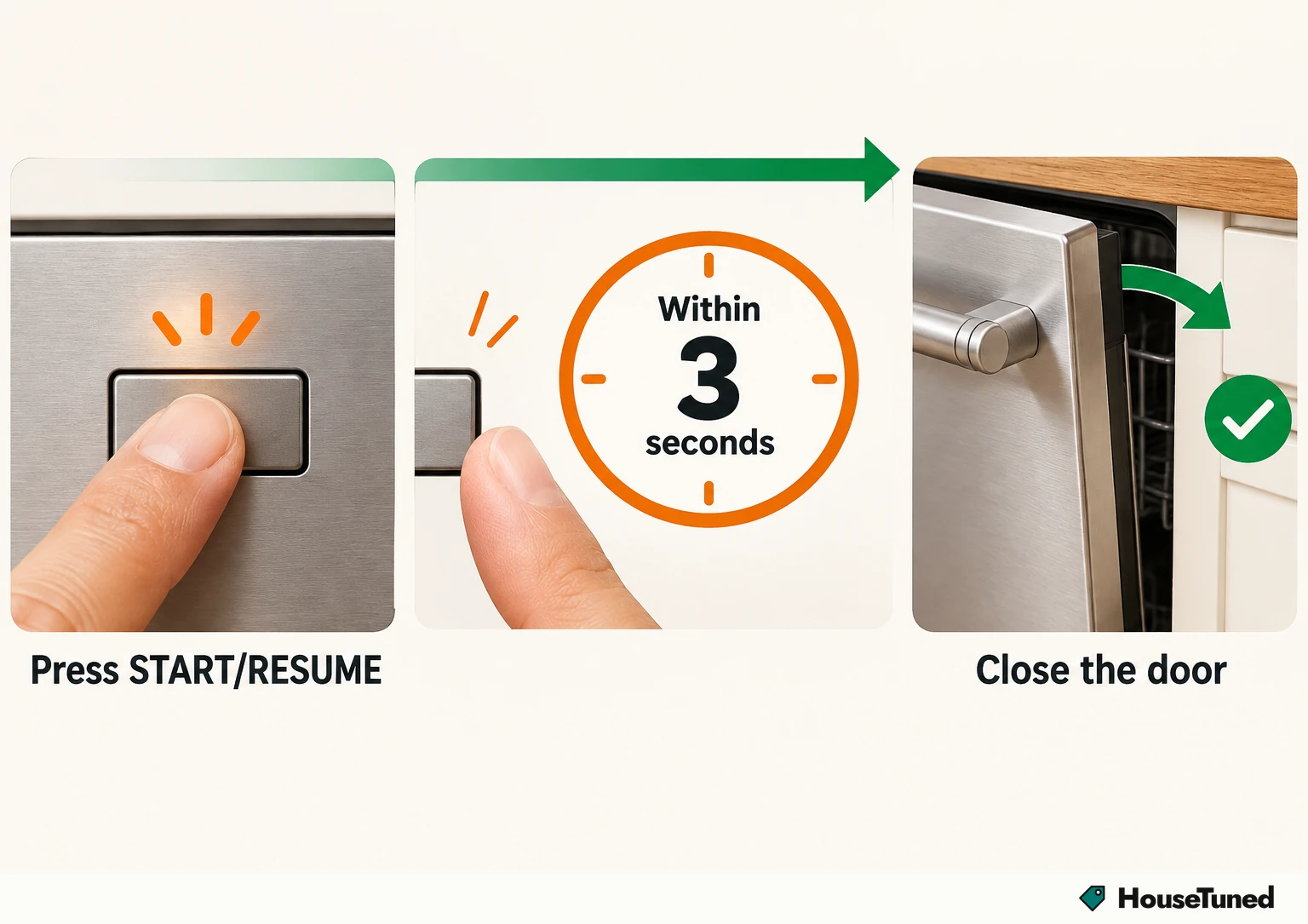
- If Start/Resume is flashing, press it and close the door within 3 seconds.
- Make sure the hot water valve under the sink is on, and run the nearest sink's hot tap for at least 30 seconds before you start.
- Still not washing after that? Pull up your model's manual with the model number and book Whirlpool service.
Several things can leave a Whirlpool sitting still mid-cycle without anything being broken, including the dishwasher waiting on you or waiting on the water temperature. We'd start at the control panel before touching anything under the sink, because a running Delay Start countdown, an unlatched door or a normal thermal pause can each make the machine look stalled.
It filled, then went quiet
A Whirlpool dishwasher pauses two to three times during a normal cycle for thermal holds, and each pause ends on its own once the water reaches the temperature it needs. A quiet stretch can be one of those holds, so give the cycle a chance to move on before you go looking for problems.
If it never moves on, check whether a delayed start is holding things up. The Delay Start countdown only runs while the door is latched, so a door that isn't fully shut stops everything.
- Look at the display for a Delay Start countdown. If one is set, the dishwasher is waiting to run at a later time.
- Close the door firmly until it latches. With the door unlatched, the Start/Resume indicator flashes and the countdown stops.
- Press Start/Resume. The Delay Start countdown carries on once the door is latched and the button is pressed.
For how your exact cycles are supposed to behave, your owner's manual is the reference to keep handy.
The Start/Resume light is flashing
A flashing Start/Resume light mid-cycle means the dishwasher was interrupted, either because the door was opened or because the power went out.
To pick the cycle back up, press START/RESUME and then close the door within 3 seconds. Do it in one smooth move, because that short window is all you get after the press.
Make sure hot water is reaching it
Turn on a tap at the sink first. If no water comes out there, look at the water supply to the sink and to the house before anything else.
Next, check the hot water supply valve that feeds the dishwasher, which should be a manual shutoff under the sink. It has to be turned on for the dishwasher to fill.
Before you start a cycle, run hot water at the sink closest to the dishwasher for at least 30 seconds. That way hot water is what runs through the dishwasher when it fills.
Still not washing after those checks
If the delay is cleared, the door is latched, Start/Resume has been pressed and hot water is reaching the dishwasher but it still won't wash, the next step is a professional technician.
Find your model number first. It's how you pull up the owner's manual and troubleshooting documents for your exact dishwasher.
Then schedule Whirlpool service (opens in a new tab), either by contacting Whirlpool or booking one of its preferred service providers, and tell them your model number and the checks you've already tried. The same route applies if it washes but dishes keep coming out dirty after the loading fixes below.
Have these ready when you call or book online.
Tick what applies and add details; the note above fills in as you go.
It runs, but dishes come out dirty
When the cycle does run but food stays on the dishes, look at how the racks are loaded, whether a spray arm is clogged or blocked, and whether the filter is clogged.
- Place dishes soiled-side down, facing inward toward the spray arms, so the dirty surfaces sit in the spray.
- Space items out and avoid stacking, so nothing ends up blocking a spray arm.
- Make sure the spray arms can move freely. Loading that blocks them can leave the top rack dirty.
- Check that the filter is clean and clear of clogs, following your owner's manual for your model.
If the top rack is the trouble spot, our guide to an upper rack that won't come clean goes further.
For a full clear-out of the spray arms and filter area, see how to clean a dishwasher.
Once the arms move freely and the dishes have space between them, water can reach every surface for cleaning, rinsing and drying.
More in this category
Take a closer look
Why Is My Whirlpool Fridge Ice Maker Not Working?
How to Fix a Whirlpool Refrigerator Ice Maker
Why Isn't My Whirlpool Refrigerator Making Ice?
- How to Replace a Whirlpool Refrigerator Light
- Why Does My Whirlpool Refrigerator Say Cooling Off?
- Why Is My Whirlpool Refrigerator Water Dispenser Slow?
- Why Is My Whirlpool Dryer Not Getting Hot?
- What Do Whirlpool Dryer Error Codes Mean?
- What Is a Counter-Depth Refrigerator?
- How to Defrost Chicken in the Microwave