Use the display and door clues
- Check the display. Beeping with a blinking display means the temperature inside is too high.
- Most Samsung models beep when a door isn't shut. Check that nothing is keeping yours open.
- If the sound began after the doors were removed and reattached, use the door-reattachment branch below.
When the doors look shut but the sound keeps going, we'd look at the display before reaching for an alarm control. Blinking alongside the beep identifies a temperature condition, and that changes the job from checking door closure to addressing cooling.
A steady display doesn't establish a door fault; check the doors themselves and use the circumstances below to choose your next move. The useful clues are what the display is doing, whether the doors close fully, whether they've just been reattached, and where the sound actually comes from.
The doors look closed
Open the doors, check that nothing is in their way, and firmly close them. Clearing the opening comes before the firm close so you're addressing an obstruction instead of pushing against it. Follow this Samsung US door check (opens in a new tab) even if the refrigerator already looks closed from the outside.
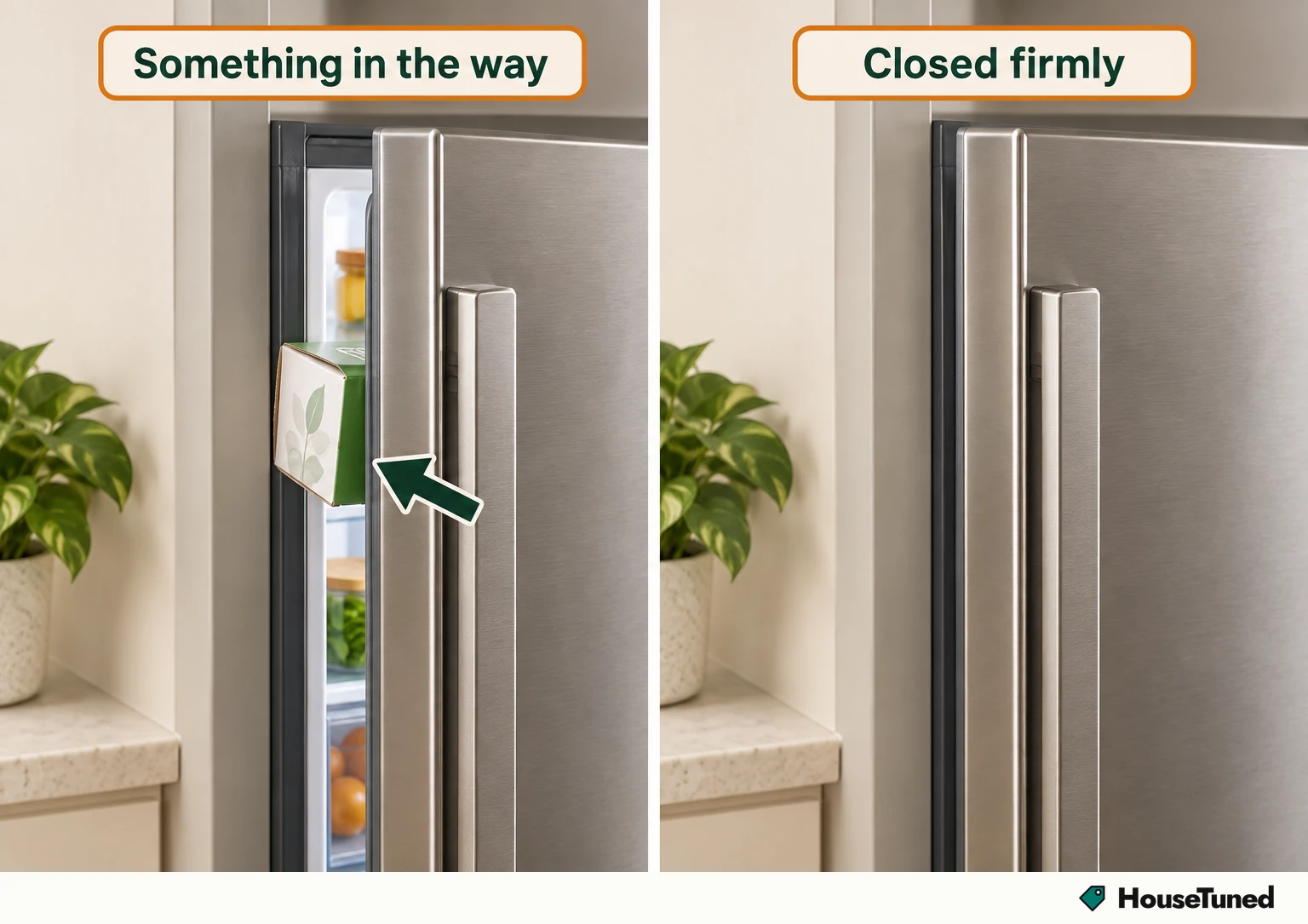
The reason for checking actual closure is straightforward: most Samsung models have a door alarm that beeps when a door isn't shut. Work through the doors you're closing, rather than stopping after a glance at the front. The useful observation is whether anything prevents a door from reaching its closed position.
Once you've completed that check, listen for the result. If the beeping stops after you clear the obstruction and close the doors, you've reached the intended outcome for this branch. If it continues, your next observation matters more than repeating the same close: use the blinking-display branch or, when it fits the history, the door-reattachment branch.
The display blinks while it beeps
Look for the combination of sound and blinking. Together, they mean the refrigerator's internal temperature is too high, including when its doors are closed. That gives you a useful answer to why a visibly shut fridge can still beep: the warning can be about the temperature inside.
Think back to whether the power recently went out. Samsung says this condition can be normal in some circumstances, including after a power outage. Keep that event connected to your description of the problem: beeping and blinking that followed a power cut give you a different history from beeping that began after door work.
For this branch, the required outcome is correcting the cooling issue to resolve the beeping. Samsung's US temperature-warning guidance (opens in a new tab) ties the sound to that condition. A shut door answers the door-closure question, while the blinking display still directs your attention to cooling. Use the service endpoint below if the refrigerator keeps beeping.
What the Alarm setting changes
Some Samsung models let you toggle the door-alarm feature with an Alarm setting. There are two separate model limits here: most models have the door alarm, but only some offer that setting. Having a door alarm therefore isn't the same as having a control that lets you switch it off.
If you're looking at an Alarm control because you want the sound to stop, keep its purpose in view. The feature described in Samsung's US alarm guidance (opens in a new tab) is the door alarm. Deciding whether to enable that reminder is a different choice from dealing with the high temperature signaled by a blinking display.
Judge the outcome by the condition you're addressing. For a door alarm, the relevant physical check is door closure. For a temperature warning, cooling needs attention. That distinction keeps a change to an alarm setting from becoming your stopping point when the display is still reporting a temperature problem.
It began after the doors were put back on
Match the start of the beeping to the work on the doors. If it has been happening since they were removed and reattached, Samsung identifies incorrect reattachment as the issue and says service isn't required for that particular case. This is a specific branch with its own next action.
Use your refrigerator's user manual for the proper procedure to connect the wire harness. Samsung's US guidance for beeping after door reattachment (opens in a new tab) directs you there. Keep the procedure tied to your model, because the next job is following its door-connection instructions, not selecting an alarm setting.
The timing is what makes this branch useful. A door that was removed sometime in the past and a beep that began as soon as it was put back on are different descriptions. When you explain what happened, say whether the beeping has been present since reattachment; that's the condition attached to Samsung's advice.
You're unsure where the beep comes from
Listen for other devices nearby, including a microwave or smoke alarm. Either can be the source of a beep you're attributing to the fridge. Before you spend more effort on refrigerator controls, settle whether the sound belongs to the refrigerator at all.
One supported way to check is to unplug the refrigerator and listen for the beeping. If it continues while the fridge is unplugged, it comes from something else. This Samsung US sound-source check (opens in a new tab) uses the disconnected refrigerator to distinguish the source of the sound.
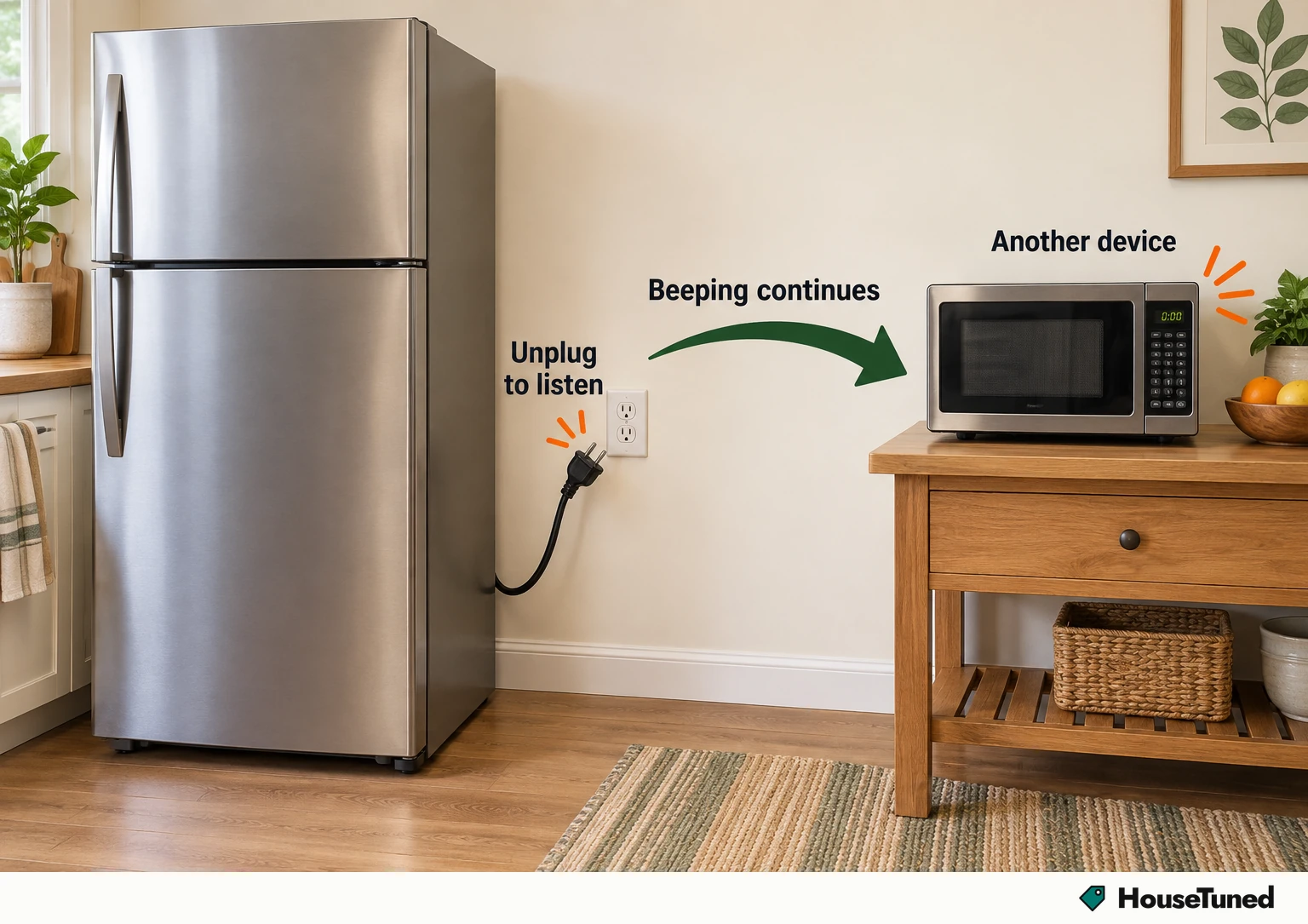
Pay attention to what you hear during that check, because it decides which appliance needs your attention next. Continued beeping with the refrigerator unplugged takes you away from its doors and display and toward the device making the sound. Follow that result before returning to refrigerator troubleshooting.
The refrigerator still keeps beeping
If you've confirmed that the refrigerator is making the sound and the applicable checks haven't resolved it, contact Samsung's Support Center to request service. Use the service route on Samsung's US refrigerator troubleshooting page (opens in a new tab). Persistent refrigerator beeping is the point to hand the problem over.
Give support a description built around your observations. Say whether the display blinks during the beeping, whether you found anything obstructing the doors, and what happened after closing them firmly. Include a recent power outage if the warning followed one, so the sequence of events is clear.
Also explain whether the sound began after the doors were removed and reattached, and whether you've followed the model's user-manual referral for that situation. If you performed the unplugging check, report exactly what you heard while the refrigerator was disconnected. Tell support which checks you've completed and which symptoms remain.
More in this category