Let the door history guide your first check
- For interior lights that won't come on, check your model's Sabbath-mode setting and whether the doors were left open.
- After a long door opening, close the doors. If the lights don't return immediately, try again in half an hour.
- If the trouble began after door reinstallation, follow the model-manual branch below before buying a light.
- A failed incandescent bulb needs the correct replacement. A failed LED light, or continued trouble after bulb replacement, needs Samsung service.
An open door and a dark compartment can make a replacement bulb feel like the obvious next purchase. We'd check settings and door history first, because Sabbath mode and door-related shutoff can both leave the interior dark without a failed light.
Choose the branch that matches what happened just before you noticed the problem. A light that stopped during a long door opening calls for the timed check below, while trouble that began after the doors were taken off points toward installation. Your refrigerator's features determine which checks apply.
Your model may have Sabbath mode
Open your refrigerator's user manual and look for Sabbath mode. Some Samsung refrigerators have this feature, and enabling it prevents the interior lights from turning on. If your model supports it, the manual will cover it.
Use those model-specific directions to check the setting and operate its controls. The useful distinction here is whether the lights have been intentionally disabled by a feature your refrigerator actually has. Samsung's US interior-light guidance (opens in a new tab) makes this check conditional on the model.
The lights went out while the doors were open
Think back to how long the doors stayed open before the lights went out. When the doors remain open for more than eight minutes, the lights turn off. That explains why a light can work when you first open the refrigerator, then stop while the doors are still open.
Close the doors and check whether the lights return when you reopen them. If they don't come on immediately, leave the doors closed and try again in half an hour. On some models, the sensor needs 20 to 30 minutes to cool off before it works again.
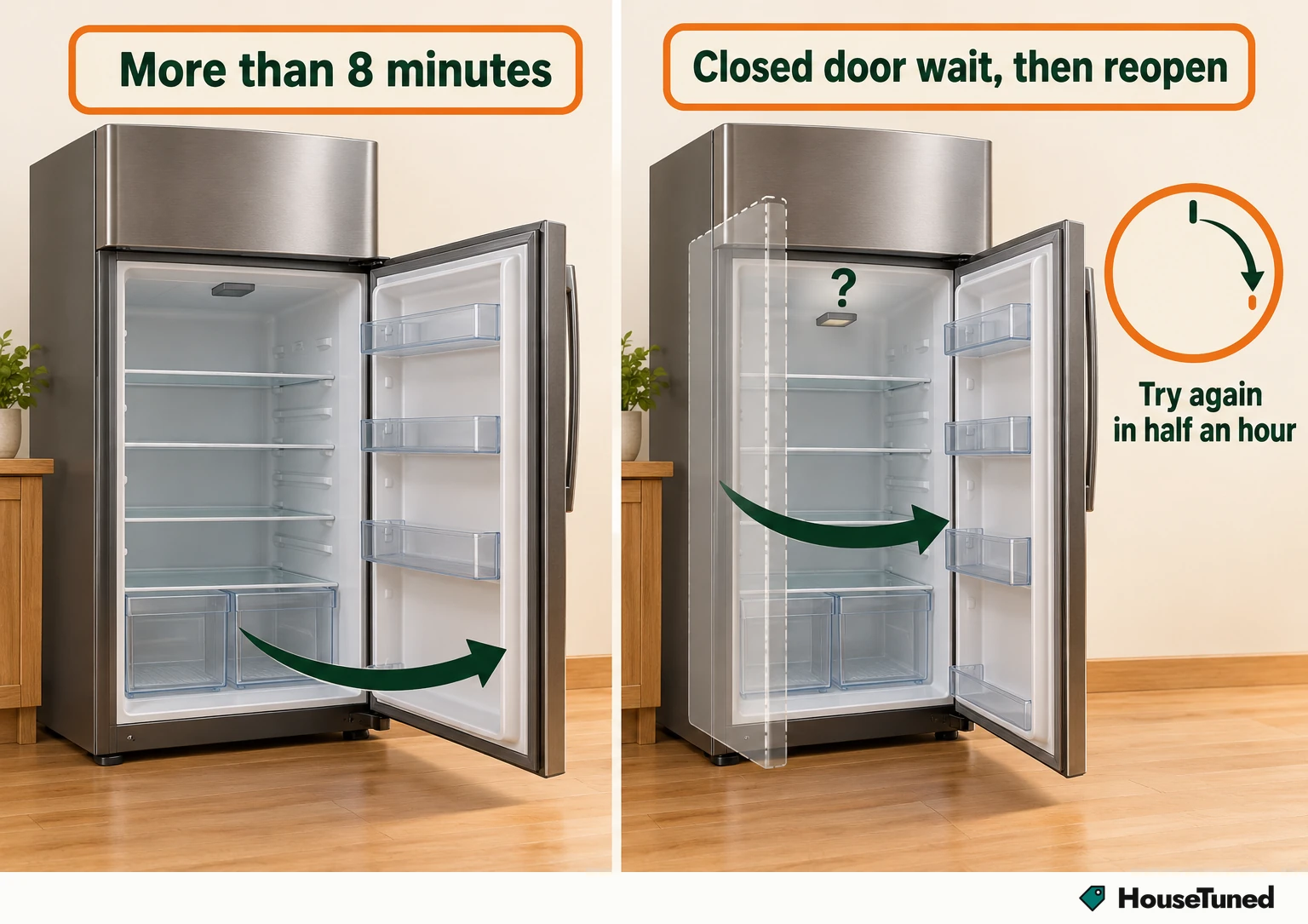
That delay matters: checking immediately after closing a door can still leave you looking into a dark compartment during the recovery period. Give the closed-door wait its full time before moving to another explanation. The Samsung US door-open recovery check (opens in a new tab) specifically allows for this delayed response.
The result you're looking for is the light coming on when you reopen the door after the wait. A return at that point fits recovery from the door-open shutoff. If it stays dark, continue with the other branch that fits your refrigerator and its recent history.
Both top-mount doors are open together
On a top-mount refrigerator, look at the position of both doors while they're open. The sensor is between the doors. If both are open to the same position, the refrigerator thinks they're closed and turns the lights off.
Move one door so the two aren't held at the same open position, then watch for the light. Samsung describes the same-position behavior as normal for top-mount refrigerators. This check is about the relationship between the two open doors, so keep it separate from the elapsed-time check above.
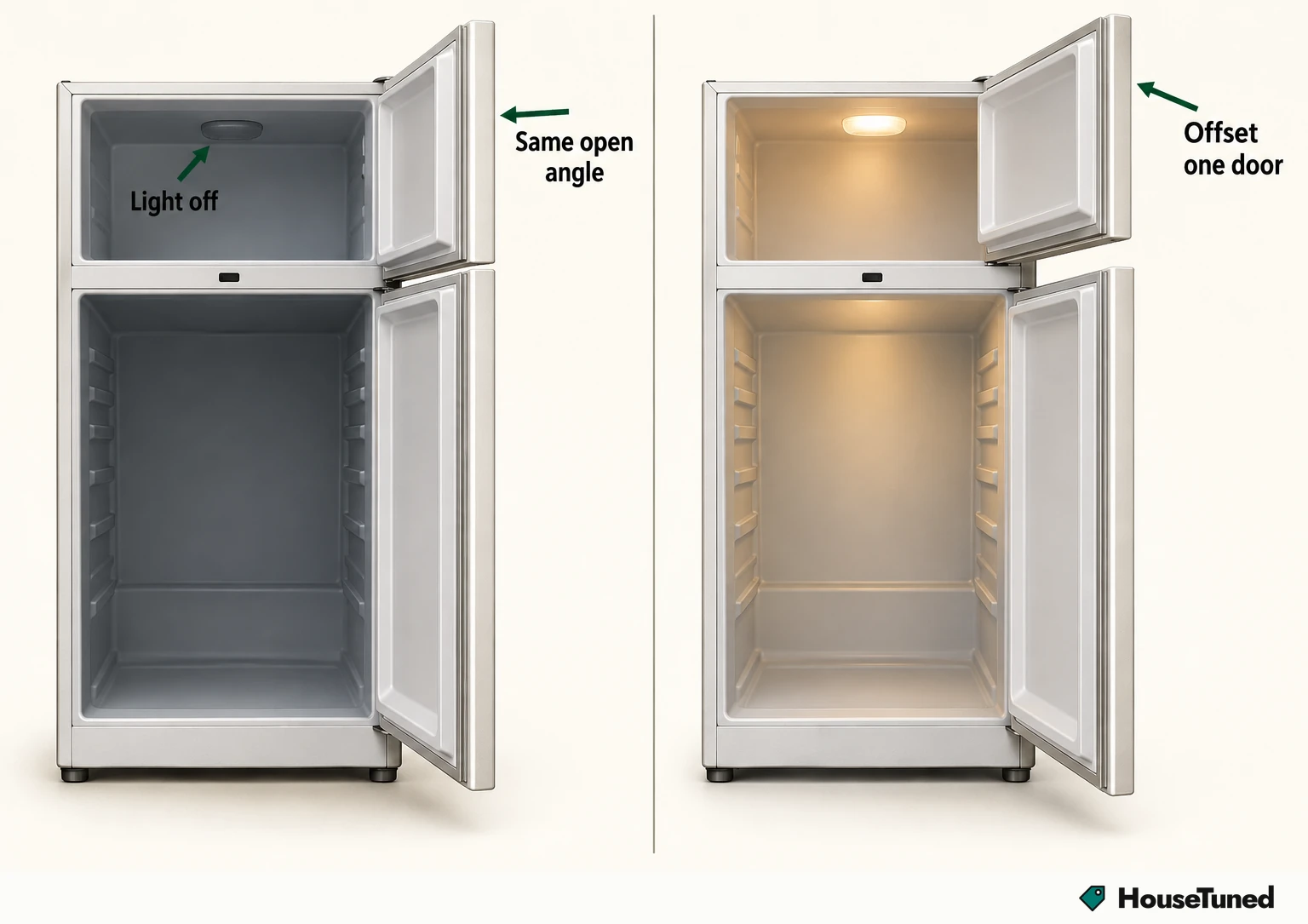
The distinction helps when you're describing what happened: the lights can go off because the sensor reads the doors as closed, even while you're looking inside. That particular explanation belongs to the top-mount layout.
The problem began after the doors went back on
Consider whether the lighting trouble began when the doors were removed and put back on. Incorrect door and wire-harness alignment or installation can make the refrigerator think the doors never close. It then switches the lights off after eight minutes.
That timing connects the installation history to the symptom: the refrigerator can continue responding as though a door is open after you've closed it. A newly delivered refrigerator with dark interior lights can also have unfinished installation work, so the timing of delivery or reassembly is useful information.
For the actual harness connection, refer to your model manual's door-removal and reinstallation instructions. Samsung's US installation-related light guidance (opens in a new tab) places the harness on top of the left door on most refrigerators. Use your own model's instructions for the location and connection details.
If your refrigerator has a door alarm, beeping can indicate an unclosed door or an improperly connected harness. On a model with an external dispenser, the dispenser won't work while the refrigerator thinks a door is open. Mention either accompanying symptom to the person addressing the door installation.
Match an incandescent bulb to your model
Notice whether some interior lights still come on while others stay dark. Samsung describes that pattern as particularly noticeable when a light has actually failed, including occasional failures in older refrigerators. It's a useful observation before choosing between an incandescent replacement and the LED service path.
If the failed light is an incandescent bulb, Samsung recommends replacing it. Check your model's user manual for the correct bulb before buying a replacement, because the specification depends on the refrigerator.
Samsung lists an E26 bulb rated at either 30W or 60W as typical, depending on the model. Those examples aren't interchangeable recommendations: match the specification in your manual, including the wattage, to the replacement you choose.
A local hardware store is an option for buying the bulb once you've identified the required specification. Keep that model-specific requirement with you when shopping. Samsung's US bulb-selection guidance (opens in a new tab) directs you to the user manual for the correct size.
An LED failure or unsuccessful bulb replacement needs service
For a failed LED light, stop at requesting service. Samsung gives the same next step if an incandescent bulb has already been replaced and the lighting problem continues. The replacement result determines that second branch, so note whether the new bulb restored the light.
Use the Support Center option on Samsung's US refrigerator-light support page (opens in a new tab) to request service. Describe whether you're reporting a failed LED light or a light that stayed out after an incandescent replacement.
More in this category