The fridge feels warm, but the display looks fine
- Put an appliance thermometer in the fridge and freezer. The fridge should be 40°F or below and the freezer 0°F.
- Move perishables somewhere cold if the fridge is above 40°F. Discard them if they've been above 40°F for 2 hours or more, or you can't tell how long.
- If both compartments are warm, check power and cooling controls. If the freezer is cold but the fridge is warm, check the doors, vents and frost.
- A recent installation, food load or outage changes how long you should wait. If cooling still doesn't recover, book appliance service.
The display may show the temperature you asked for while the milk goes warm. We'd measure both compartments before changing a setting, because few refrigerator controls show the actual temperature (opens in a new tab). Those two readings tell you which checks to follow.
Keep the fridge at 40°F or below and the freezer at 0°F. If the fridge reads warmer, move perishables somewhere that can hold them at 40°F or below. Discard perishable food that's been above 40°F for 2 hours or more, or if you can't say how long. Once food is out of the fridge, that limit drops to one hour when the air is above 90°F.
The clock on warm food keeps running while the fridge cools back down, so keep perishables cold somewhere else until the thermometer shows it has recovered. For where to put the thermometer and when to read it, the fridge temperature guide has the details.
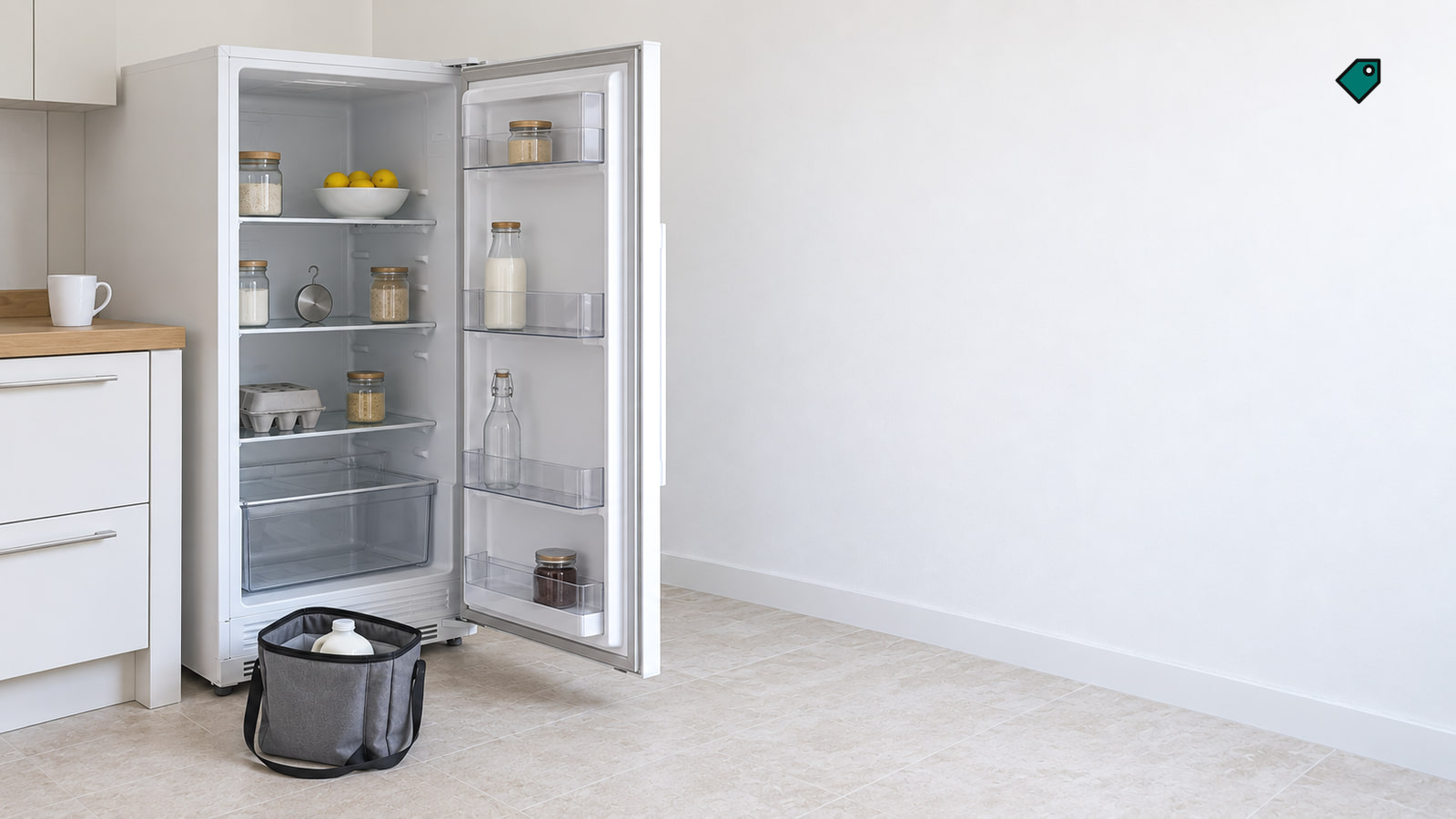
Both compartments are warm and the fridge seems quiet
Open the door and look for the interior light and any lit display. If both are dark, check whether the plug is fully seated, provided you can reach it without moving the fridge. On Frigidaire refrigerators, the plug should go into a properly grounded three-prong outlet. If the plug is seated but the outlet or circuit seems to be the problem, call an electrician.
Leave the fridge where it is. If the light or display works, continue to the cooling controls. A quiet fridge may be in a defrost pause: the compressor and fans stop during defrost. On some GE models, that pause can last 30 to 45 minutes. Watch the thermometers; if the fridge keeps warming, continue with the checks.
The display works, but cooling may be off
A lit display means the fridge has power, but cooling may be switched off. Check the settings for both compartments and look for an OFF reading or a demo or cooling-off indicator. You want a cooling setting showing for each compartment. If you see an off mode, use the instruction for your control.
| Control example | What to check or do |
|---|---|
| GE temperature control | One number higher is cooler. On a control set in actual degrees, one degree lower is cooler. |
| GE membrane panel showing OFF | Press either the Refrigerator or Freezer pad. Don't hold both, because that turns cooling off. |
| Whirlpool panel with LOCK and MEASURED FILL | Hold those buttons together for 3 seconds to turn cooling back on. |
| Samsung RF263TE or RF263BE showing OF OF | Hold Energy Saver and Freezer together for 5 seconds to cancel Cooling Off mode. |
| LG panel showing OF F | That indicates Demo Mode. With either fridge door open, hold Refrigerator and Ice Plus together for 5 seconds. The panel beeps and shows the temperature settings again. |
| Frigidaire display showing 77 77 | If you can reach the plug without moving the fridge, unplug it for 5 minutes, then reconnect it to clear Demo Mode. |
Controls vary even within a brand, so match the buttons and display before using an example. On Whirlpool refrigerators, allow 24 hours after changing a temperature setting for the compartments to cool. On Samsung refrigerators, OF OF, O FF, OFF OFF or scrolling temperature bars mean Cooling Off mode; the fridge won't cool until you turn that mode off. Samsung's cooling-mode instructions (opens in a new tab) cover its other panels. If your Samsung temperature is blinking instead of showing a cooling-off code, our blinking-temperature walkthrough covers that display.
The door won't close or seal
Start with anything keeping a door or freezer drawer from closing all the way. Trays, platters, pizza boxes and ice behind an ice bin can get in the way. Move the obstruction and close the door again; it should close fully.
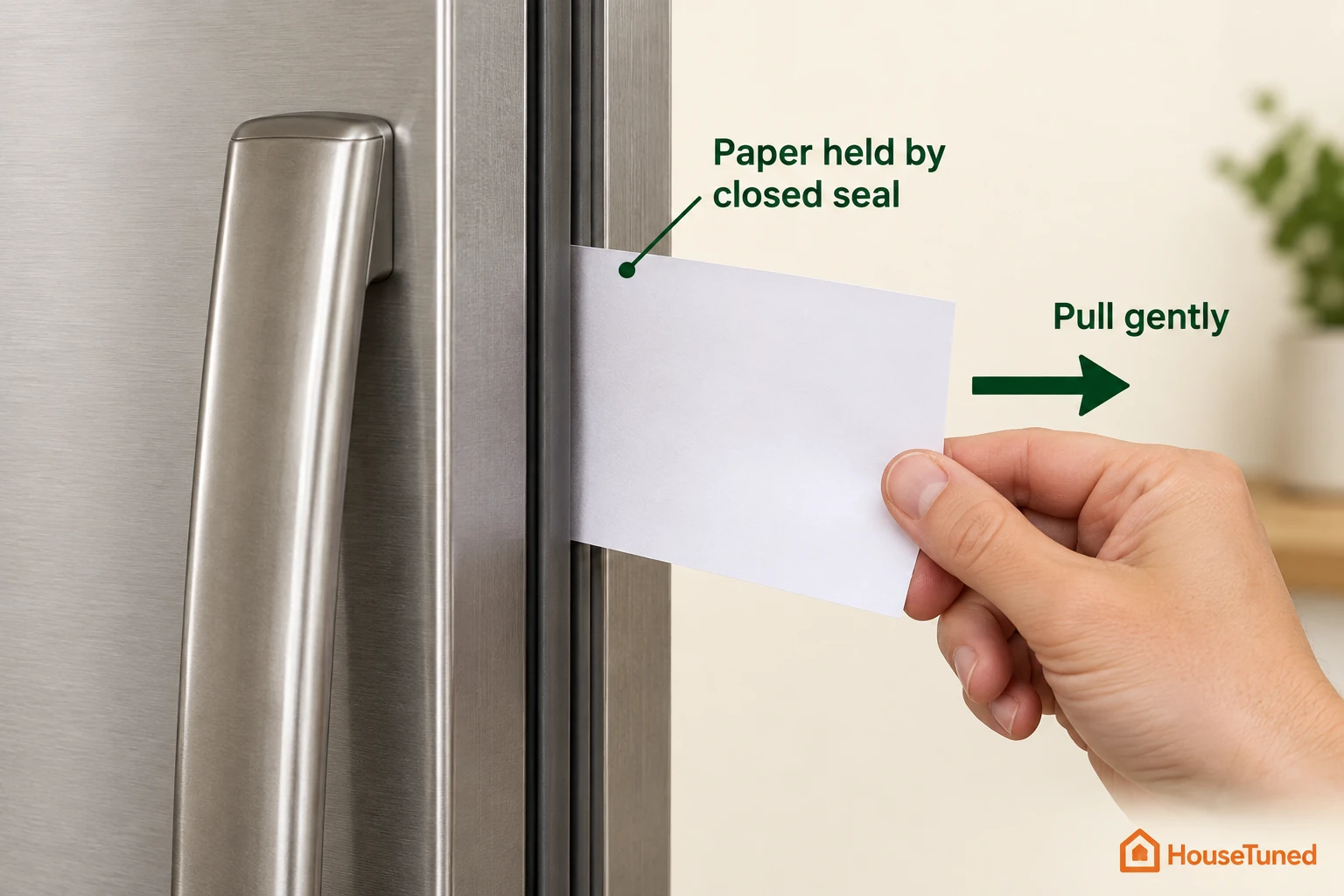
Close the door on a piece of paper and pull it out. You should feel a little resistance. If it slips out easily, unplug the fridge before cleaning the seal with dish soap and a damp cloth. Reconnect power, then repeat the test. If it still slips out or the seal looks damaged, our door-sealing guide covers the next checks.
A door that doesn't line up may need its leveling legs or rollers adjusted by an installer. On GE fridges, a door opened halfway, about 45 degrees, should swing shut on its own. If yours won't close or seal after you clear obstructions and clean the gasket, include that result in your service request.
Close the door slowly and watch the inside light. On most GE models, it should go out when the gap narrows to about an inch. A light that stays on can add heat; tell the technician if you see that happen.
The freezer is cold, but the fridge is warm
Check the visible vents in both compartments and move tall containers forward so cold air can pass. If the fridge temperature starts falling, keep tracking it with the thermometer.
| What you find | What to do next |
|---|---|
| Food covers a vent | Move it clear and leave room for air to circulate. Recheck the fridge thermometer. |
| Frost covers a visible vent | Record where it is. Frost can restrict cold air; arrange service if it remains or returns. |
| A scraping fan noise that stops when you open the door, or a fan error code | Write down the sound or code and book service. Samsung's 21E and LG's Er FF, E FF or F codes are maker-specific fan clues. |
Don't chip frost with a knife or other sharp tool, and don't use a hair dryer or another heat source. Both can damage the fridge. If the vents are clear but the fresh-food compartment stays warm, an internal airflow or cooling fault needs a technician.
Cooling changed after an installation, food load or outage
Think back to when cooling changed. A new installation, a large load of warm food and a power outage call for different checks. Keep perishables cold elsewhere while you track the thermometer.
| What happened | What to expect and do |
|---|---|
| The fridge was just installed | Allow about 24 hours for it to cool and stabilize with the controls set correctly. Some freezer cooling should be obvious within about an hour. If it is still warm after 24 hours, book service. |
| You added a lot of warm food | Give the fridge time to cool the load and track both temperatures. If the fridge rises above 40°F, move perishables somewhere cold. |
| Power was out | Recheck that cooling is on, because some fridges need turning back on after an outage. On GE fridges, cooling comes back on its own after a short outage, so there's no need to unplug and replug it. After a long outage, follow your model's recovery guidance and the thermometer, keeping warm perishables elsewhere. On Frigidaire refrigerators, allow 24 hours for the temperature to stabilize after an outage. |
If a fridge that's been running fine turns warm without one of these reasons, we'd book service after the installation check below rather than wait another day.
Cooling changed after a move
If cooling changed after a move, check the space around the fridge against its installation instructions. Clear loose items blocking airflow without moving the appliance. Clearance varies by model. On GE fridges, a room below 60°F or above 110°F can affect cooling.
Still warm with the doors sealed and vents clear
Dirty condenser coils can reduce cooling efficiency, but some fridges don't need coil cleaning and some allow only a certified technician to do it. Check your manual first. If it calls for cleaning and the coils are already accessible, unplug the fridge before you start. Leave any grille or panel in place and hand inaccessible cleaning to service.
If both compartments remain warm with power and cooling on, or the fridge stays warm despite sealing doors and clear vents, book appliance service through your brand's support contact. Write down the model number, both thermometer readings, whether the fridge is running, any display code, when the problem began and any recent outage, installation or repair visit. Repairs to internal fans, controls or the refrigerant system belong with a qualified technician.
Find your written warranty and purchase receipt before booking; the receipt helps establish your purchase date. Ask whether the repair is covered and whether the visit or estimate carries a diagnostic charge. Request the expected parts and labor charges before approving the work. Repair charges vary by provider, so ask for pricing when you book.
Leave the fridge plugged in while waiting for the technician, unless the power cord is damaged, so the symptoms remain available to diagnose. Keep perishables cold somewhere else.
Other questions about a warm fridge
What if the fridge stopped cooling right after a repair visit?
On a GE fridge, it may still be in diagnostic mode. If you can reach the plug without moving the fridge, disconnect power for 30 seconds and reconnect it. If cooling doesn't resume, contact the service provider.
Do all condenser coils need cleaning?
No. Some designs need no coil cleaning, while others allow only a technician to reach them. Check your model's instructions before touching the coils.
Will defrosting fix a fan that's hitting ice?
It may quiet the noise for a while, but a recurring ice problem needs service to correct its cause.
How long does food stay cold during a power outage?
An unopened fridge keeps food cold for about 4 hours. Use the thermometer and discard perishables that have been above 40°F for 2 hours or more.
Can an almost empty fridge affect its temperature?
Yes. Closed containers of water, food or other items can help steady the temperature. They also help it settle after you open the door.
More in this category