What the screen and equipment tell you
- Blank screen? Check the thermostat’s power source and the heating or cooling equipment’s power.
- Waiting or flashing message? Give the compressor protection delay five minutes.
- Screen on but no heat or cooling? Set the right mode and target temperature, then check whether the equipment responds.
- Temperature changes back? Check the schedule or the time shown with a temporary hold.
When the house stays too warm or too cold, start with what the thermostat shows. We’d check the display before changing settings, because a blank screen, a delay message and a normal display lead to different next steps.
| What you see | Next check |
|---|---|
| Blank display | Check batteries if your model uses them. For a wired model, check power at the heating or cooling equipment. |
| Waiting or flashing heating or cooling message | Leave the mode alone and allow five minutes for the compressor protection delay. |
| Display on, but equipment does not respond | Check Heat or Cool mode and set the target past room temperature. Then follow the separate heating or cooling checks below. |
| Set temperature changes later | Check when the next scheduled period starts or when a temporary hold ends. |
The screen is blank
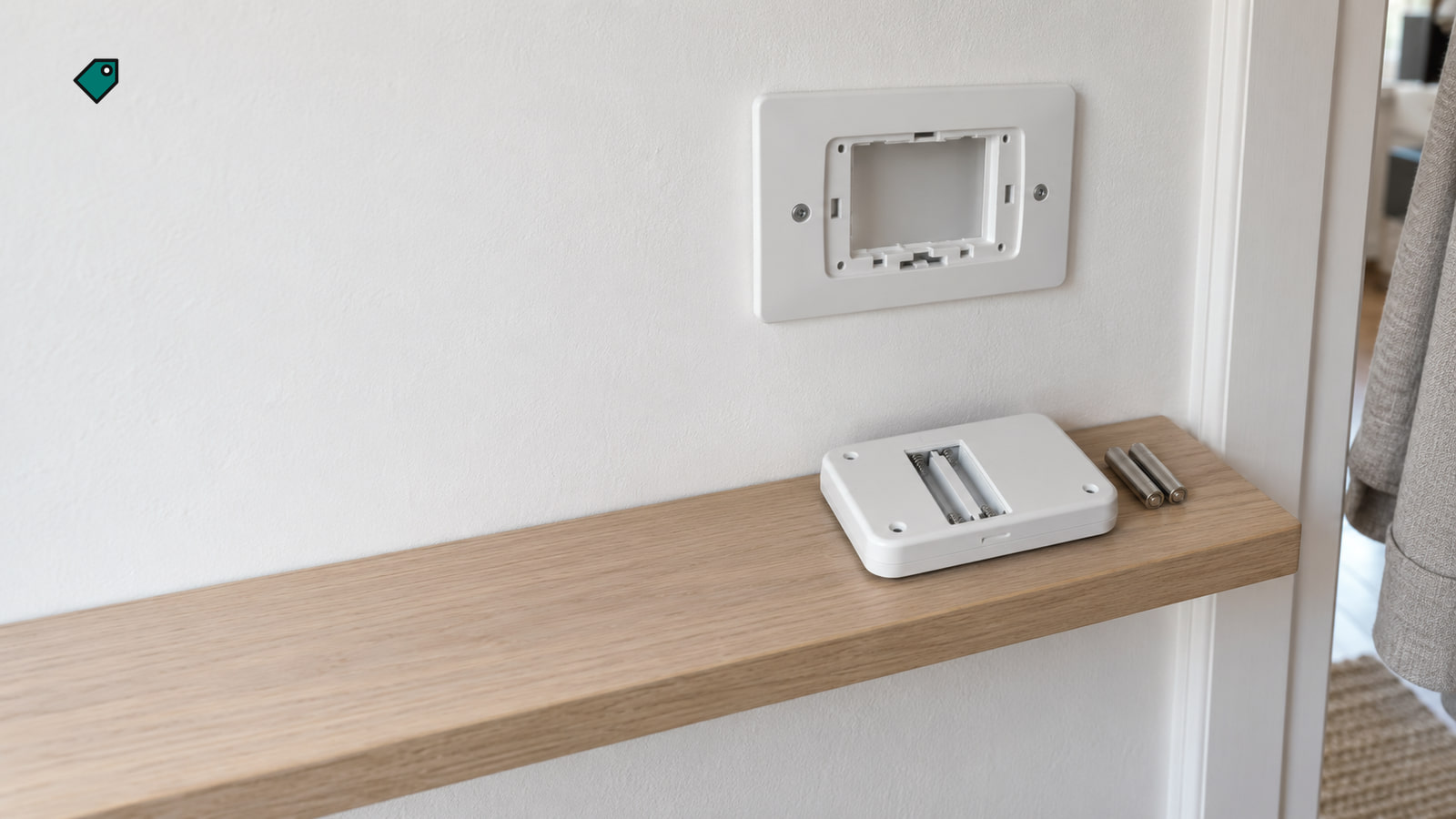
If your thermostat uses batteries, start with fresh ones. On an RTH2300, readable numbers with a dark backlight mean the display isn't blank; follow the symptom those numbers show. If you have an RTH2300 or RTH221, set System to Off first so heating or cooling can't stay on while the batteries are out. Pull the thermostat body off its wallplate from the bottom edge. Leave the wallplate on the wall and the wires alone, and if the body won't come off that way, stop. Turn the body over, fit two fresh AAA alkaline batteries matching the polarity marks, then reinstall it. On these models, replace the batteries once a year or before you'll be away for more than a month; “Lo Batt” appears 60 days before they run out. Reset the clock and day afterward; the other settings are kept.
For a wired thermostat, make sure the furnace or air handler’s power switch is on and its door or cover is fully closed. If the door is open or loose, book an HVAC technician. If a breaker has tripped or you see electrical damage, call a licensed electrician.
If an RTH2300 stays blank with fresh batteries installed correctly, replace the thermostat. For other models that remain blank after the applicable battery and equipment power checks, call Honeywell Home technical support at 1-800-633-3991.
For example, a T9 Smart with a blank screen calls for a C-wire check because that connection powers the thermostat. If the screen stays dark after the equipment power checks, have an HVAC technician check that connection rather than opening the wallplate yourself. You can find your thermostat’s manual (opens in a new tab) to identify its power setup.
The heat won't come on
Set the thermostat to Heat and put the target above the room temperature. On an RTH2300 or RTH221, the large number normally shows room temperature; press Up or Down once to see the target for five seconds. On a T4 Pro, use the Mode button to select Heat. On a T10 or T10+ Pro Smart, an orange screen saying “Heating to” shows that the thermostat is calling for heat.
If the thermostat shows a heat call but no heat arrives, check the accessible heating-system filter. A dirty filter can make a heating system overheat and shut down. If this started right after a new thermostat went in and cool air blows during a heat call, call the installer; the system type or reversing valve may be misconfigured. If the system still doesn't heat, book an HVAC technician. Tell them the full model number, what the display showed, the room and target temperatures, the System and Fan settings, what happened after five minutes, and whether this began after an installation or power outage. If you have a heat pump, the heat pump heating checks take you through that equipment. An RTH2300 or RTH221 won't work with a heat pump that has auxiliary or backup heat; call the installer if that's your setup.
The cooling won't come on
Set the thermostat to Cool and put the target below the room temperature. On an RTH2300 or RTH221, don't run the AC when it's below 50°F (10°C) outside, because that can damage the compressor. Give the equipment five minutes before changing the setting again so the compressor protection delay can finish. Those five minutes show whether the equipment responds; reaching the target temperature can take longer. On a FocusPRO P200, “WAITING FOR EQUIPMENT” means a compressor delay is running. On a T6 Pro, flashing “Cool On” or “Heat On” can mean the same protection is active.
After the delay, check whether the equipment starts and whether air moves through the vents. Check the accessible air-conditioner filter if airflow is poor. If cooling worked before and still won't come on, book an HVAC technician. If the trouble began with a new thermostat, contact whoever installed it to check the wiring and configuration. Give them the same details listed above.
For any heating or cooling technician visit, check the warranty for your exact model (opens in a new tab), since coverage varies by product. Honeywell Home's comfort-product warranty doesn't cover removal or reinstallation costs.
Ask the service provider about the diagnostic fee, labor and parts, after-hours charges, and any removal or reinstallation charge. Those answers will tell you what the visit and any replacement would include.
The set temperature changes back
A schedule can replace a temporary temperature change. On an RTH2300 or RTH221, “Temporary” appears when you override the current period. On a FocusPRO P200 or S200, the new target lasts until the next scheduled period. On a T10 or T10+ Pro Smart, “Hold until” shows when your temporary change ends. Check that time against when the temperature changed.
We'd use a permanent hold when you want the same temperature until you change it. On a FocusPRO P200 or S200, set the temperature, then press and release HOLD until “HOLD PERMANENTLY” is selected. Select “CANCEL HOLD” to return to the schedule.
On a T10 or T10+ Pro Smart, touch the “Hold until” time, choose “Permanently,” then press Done. Choose “Remove hold” there when you want the schedule back. On an RTH2300 or RTH221, press Hold and adjust the temperature; press Run to resume the schedule.
If the schedule changes at the wrong time, check the clock and day. On an RTH2300 or RTH221, press Set, then Up or Down to adjust the time. Press Set again, use Up or Down to set the day on an RTH2300, then press Run to save.
The fan runs without warm or cool air
Set Fan to Auto, because On keeps the fan running nonstop. Then set the system to Heat or Cool, move the target past room temperature, and check whether the air at the vents changes. Airflow shows that the fan is running; check for warm or cool air to judge the heating or cooling response. If it still only moves room-temperature air, follow the heating or cooling checks above, then book an HVAC technician.
More in this category