What this smart lock handles at your entry
- Your phone handles lock and unlock over Wi-Fi through the Yale Access app, while the keypad works for anyone without the app.
- Auto-Unlock and Auto-Lock are optional behaviors you turn on, not factory defaults, so expect to set them up yourself in the app.
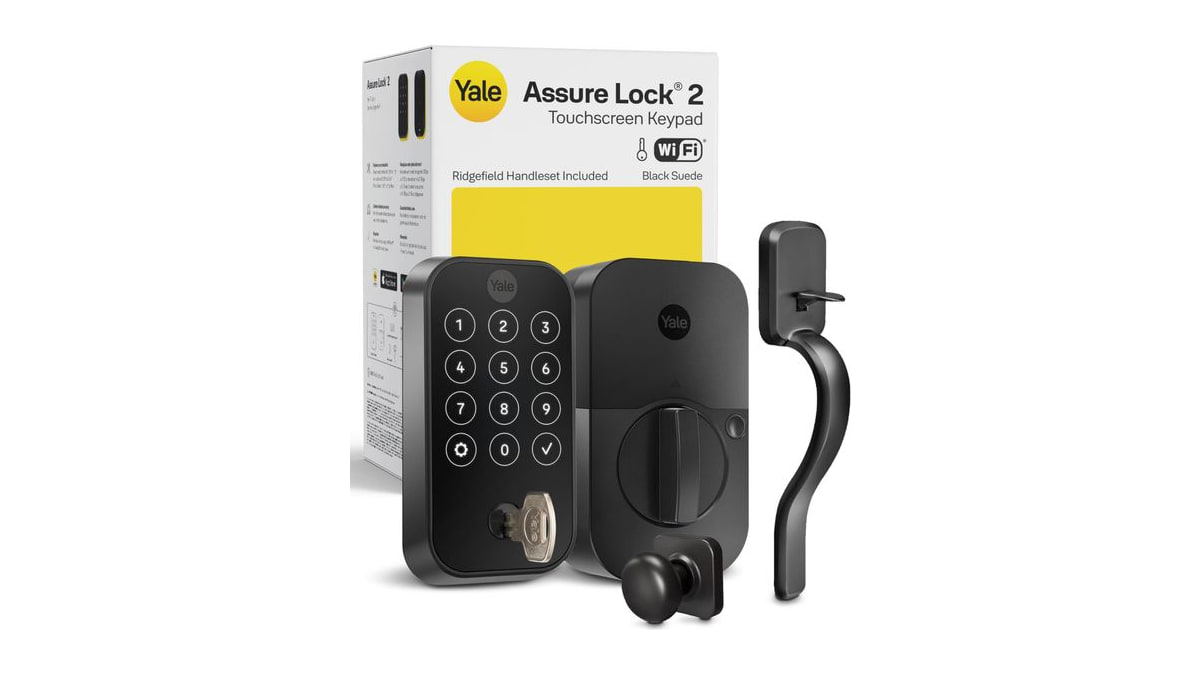
You want the front door to lock itself, let you in without digging for keys and show you who came and went. This Yale Assure Lock 2 does all three: a touchscreen keypad on the outside, app control over Wi-Fi and an optional Auto-Unlock that opens the door as you walk up.
We'd consider it a strong pick if your household includes family members, dog walkers or cleaners who need a code rather than a spare key. You can send entry codes through the app and check activity later.
The packaging includes a matching Ridgefield passage handle in Black Suede, so the exterior hardware carries one finish. That matters on a front entry where a mismatched old handle would look off, and it saves you from buying a separate passage set.
What the $280.16 price means
At $280.16 the lock is about $36.51 under the typical price of $316.67 buyers have paid over the last 90 days. That makes this a solid moment to buy if the finish and model match what you need.
You are paying for the touchscreen keypad and the included Ridgefield handle set, so compare the bundle against a bare deadbolt plus a separate passage handle before deciding which is cheaper for your door.
| Offer detail | Recorded value |
|---|---|
| Amazon price | $280.16 |
| Customer rating | 4 |
| Customer reviews | 90 |
| Typical price over 90 days | $316.67 |
| Difference | $36.51 (12 percent) |
Fitting it to your door and keeping it running
This is a Wi-Fi lock, so it needs a wireless network in reach at the door and a power source that suits its battery compartment. Check the manufacturer's fit guide for your door thickness and backset before ordering, since a handle and deadbolt swap touches both holes.
Day to day, the touchscreen wants a wipe with a dry or lightly damp cloth rather than harsh cleaners that could dull the glass. Battery life depends on how often the lock cycles and how strong your Wi-Fi signal is at the door, so plan to keep fresh batteries on hand rather than guessing a schedule.
The keypad codes and app access are the core of the system, so decide who gets a permanent code and who gets a temporary one when you set it up. You can change or remove codes any time from the app.
When to leave this one on the shelf
Skip it if your entry door is metal, has an unusual mortise preparation or sits outside reliable Wi-Fi coverage, because the app features depend on that connection.
If your household prefers a pure mechanical key lock and nothing that runs on batteries, this model adds complexity you would not use. Measure your door, check the Wi-Fi at the threshold and confirm the Ridgefield handle fits before you commit.
Product details
| Model | B-YRD420-WF1-RX-BSP |
|---|---|
| Color | Black |
| Size | touchscreen |
Guides from this aisle
- Garage Door Sensor Not Working? What the Lights Mean
- Washing Machine Not Draining? What to Check Before You Call
- LG Dryer D90 Code and What to Check First
- Fridge Water Dispenser Not Working? What to Check First
- Washer Leaking From the Bottom? Where to Look First
- How to Position Mesh Wi-Fi Nodes in Your Home